

SharePoint Productivity Acceleration
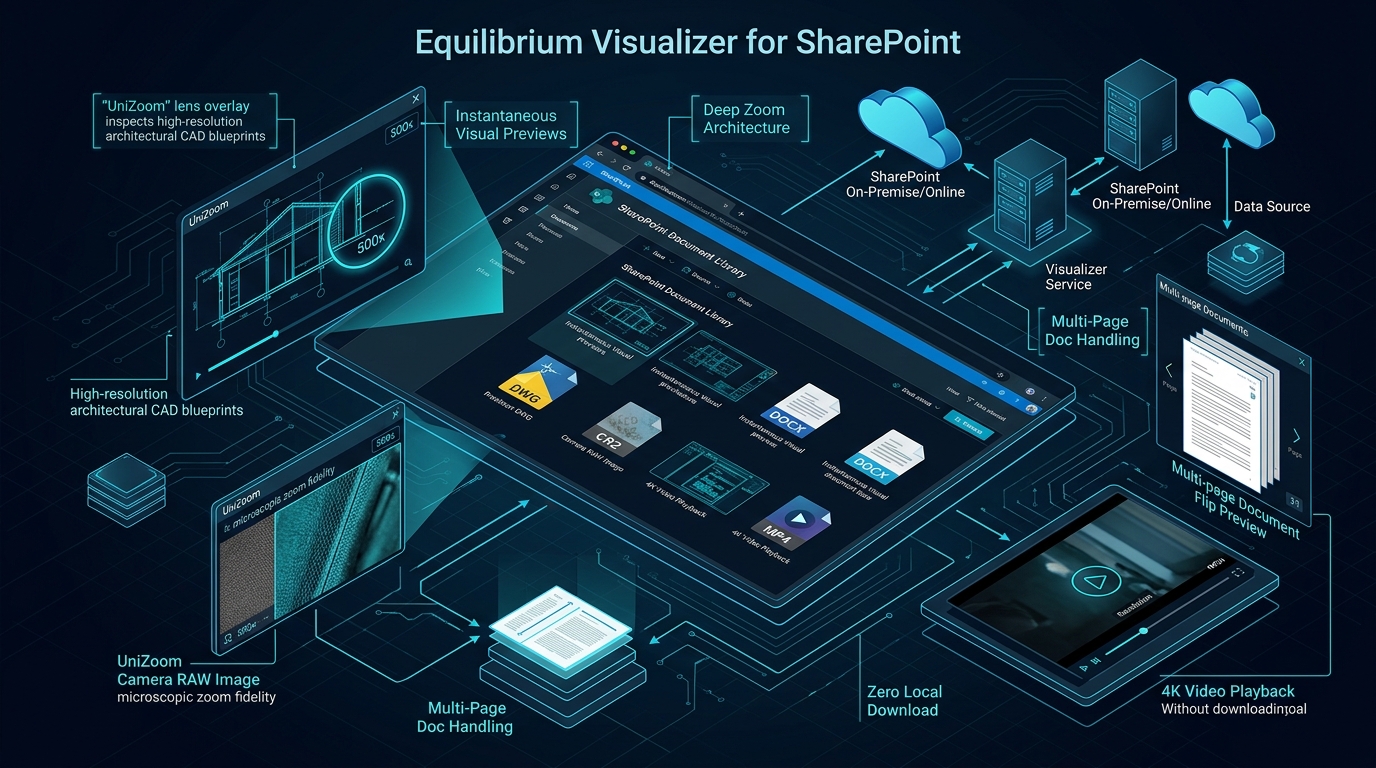
Supercharge Microsoft SharePoint with Visual Intelligence
Microsoft SharePoint is the world’s most deployed enterprise document management system—yet native SharePoint provides minimal support for heavy media formats, CAD schematics, raw photography, and video. Users are often forced to download massive files to their local machines just to see what is inside them.
MediaRich® for SharePoint completely eliminates download friction by embedding high-speed, interactive visual previews, video streaming, and automated derivative workflows directly into native SharePoint document libraries.
The Productivity Challenge with Standard SharePoint
Without MediaRich, knowledge workers face persistent bottlenecks:
- Slow Download Cycles: Multi-hundred megabyte PSD, RAW, or 4K video files must be completely downloaded before opening.
- Client Software Dependency: Reviewers cannot inspect CAD files (.DWG, .DXF) or Adobe InDesign documents (.INDD) without having expensive desktop software licenses installed.
- Version Proliferation: Users download, modify locally, and upload competing revisions, creating version chaos.
- Bandwidth Strain: Repetitive downloads saturate corporate VPNs and internal network links.
MediaRich Instant-On Capabilities
MediaRich delivers server-side intelligence that renders files on demand:
- UniZoom™ Deep Inspection: Pan and zoom deep into multi-gigabyte images and architectural blueprints directly in the browser with sub-second response times.
- Zero-Footprint Client: Users do not need specialized desktop applications or browser plugins—all rendering is executed server-side and streamed securely via standard HTML5.
- Integrated Video Player & Scrubbing: Instant hover-scrubbing timelines and adaptive bitrate video playback without waiting for full downloads.
- Batch Processing & Export: Convert, resize, and export single files or entire folders into web-ready or print-ready formats directly from SharePoint menus.
Key Enterprise Benefits
- Save Hundreds of Hours Annually: Teams eliminate an average of 15 to 30 minutes daily per knowledge worker previously spent waiting on downloads and finding lost assets.
- Preserve IT & Security Policies: Files never leave the secure corporate SharePoint boundary—only encrypted viewport raster streams are transmitted to client browsers.
- Cross-Platform Compatibility: Full support for Windows, macOS, iOS, Android, and all modern browsers.